Configure your Company Monitoring check
Last updated: May 29, 2025
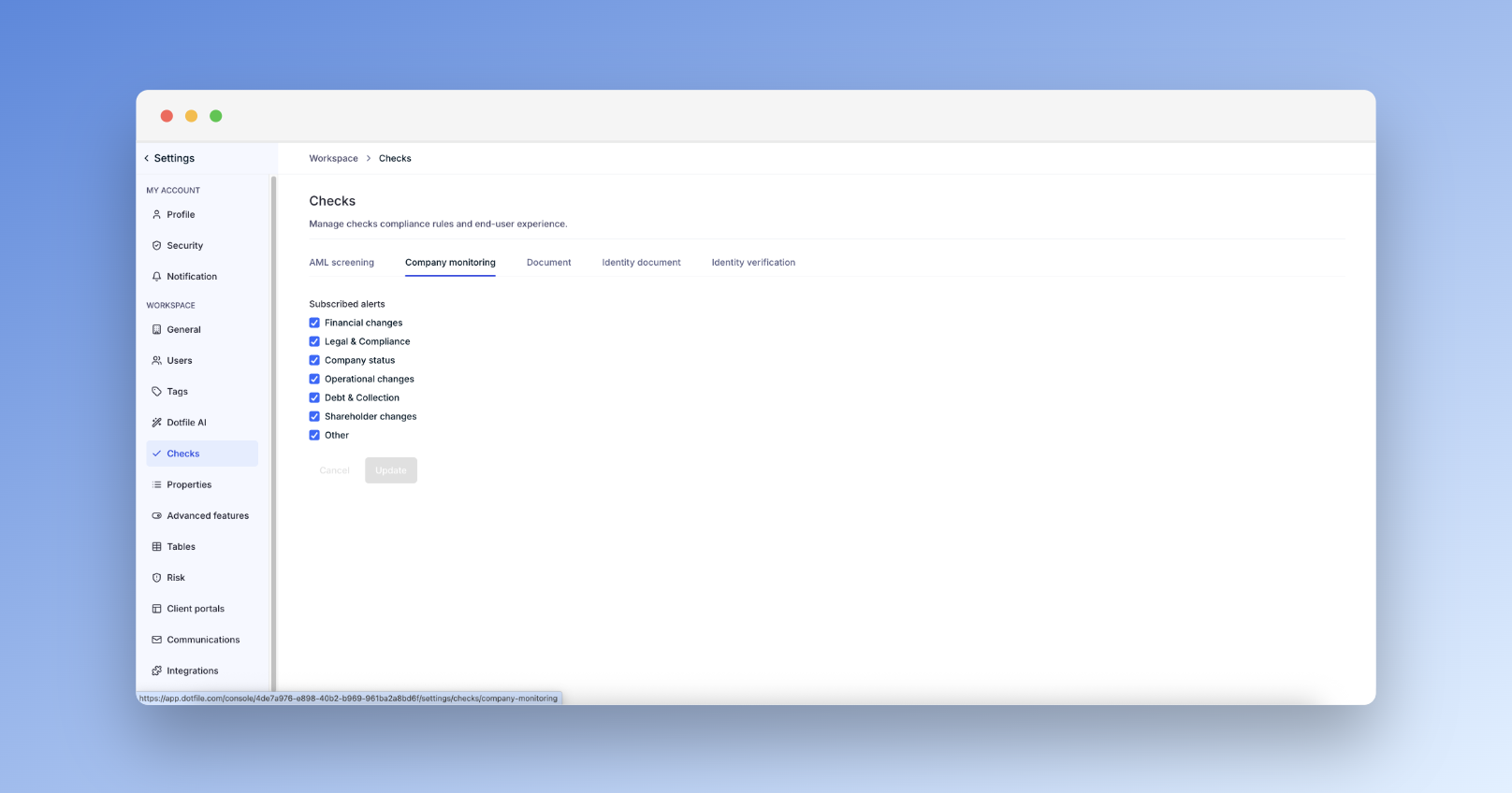
Go to Settings > Checks > Company Monitoring to select the company data categories you’d like to track:
Financial: Credit events, filings
Directors: Appointments/resignations
Status: Registration changes
Operations: Address or activity updates
Debt: Charges, collections
Shareholders: Ownership changes
Other: Additional relevant updates
You can find more information in our product documentation.