Everything you need to know about Veriff
Last updated: May 2, 2026
Veriff is an identity verification provider that combines AI-powered automation with machine learning to verify a person's identity against a government-issued document. On Dotfile, Veriff powers two types of checks: the Automated ID Document Check (OCR-only, no liveness) and the Liveness ID Verification Check (document + live selfie).
Veriff is the default provider on Dotfile.
How does Veriff work inside Dotfile?

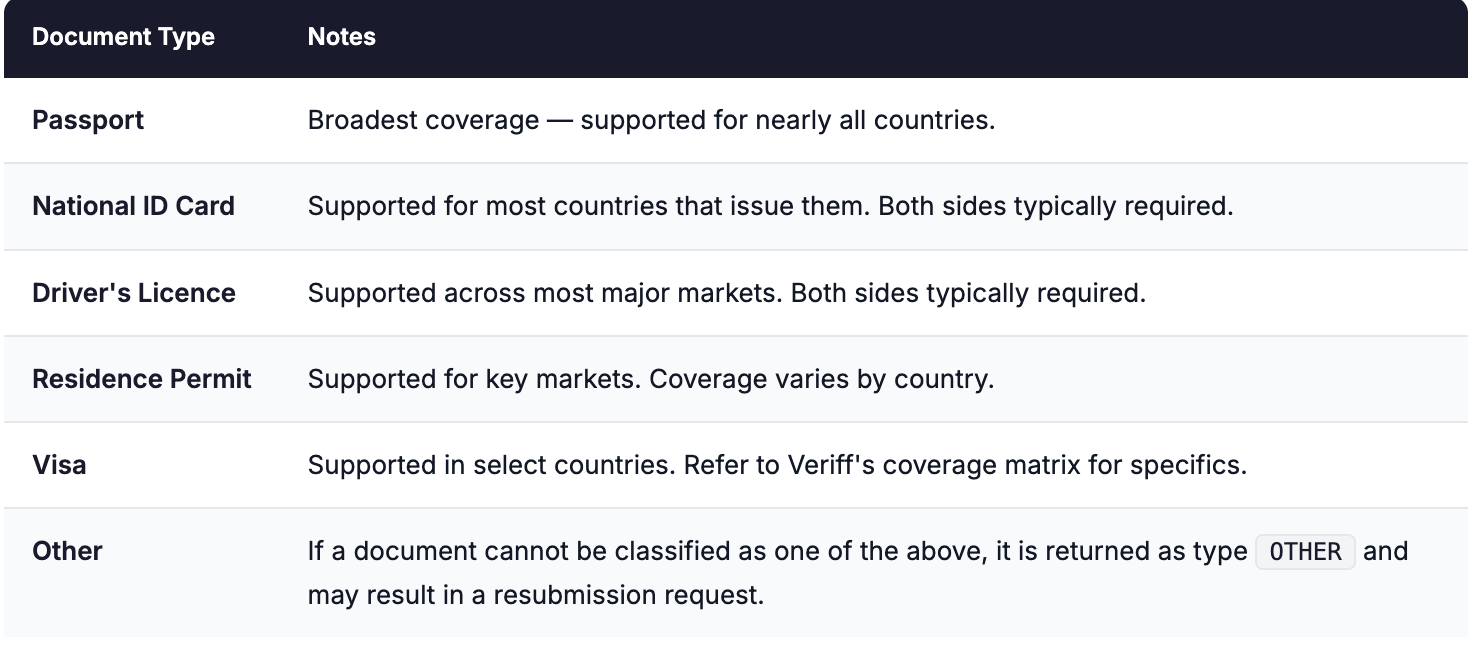
Documents Supported by Veriff
Veriff supports over 12,000 government-issued identity document specimens from more than 230 countries and territories. Documents are automatically recognised by Veriff's system — users do not need to manually select their document type.
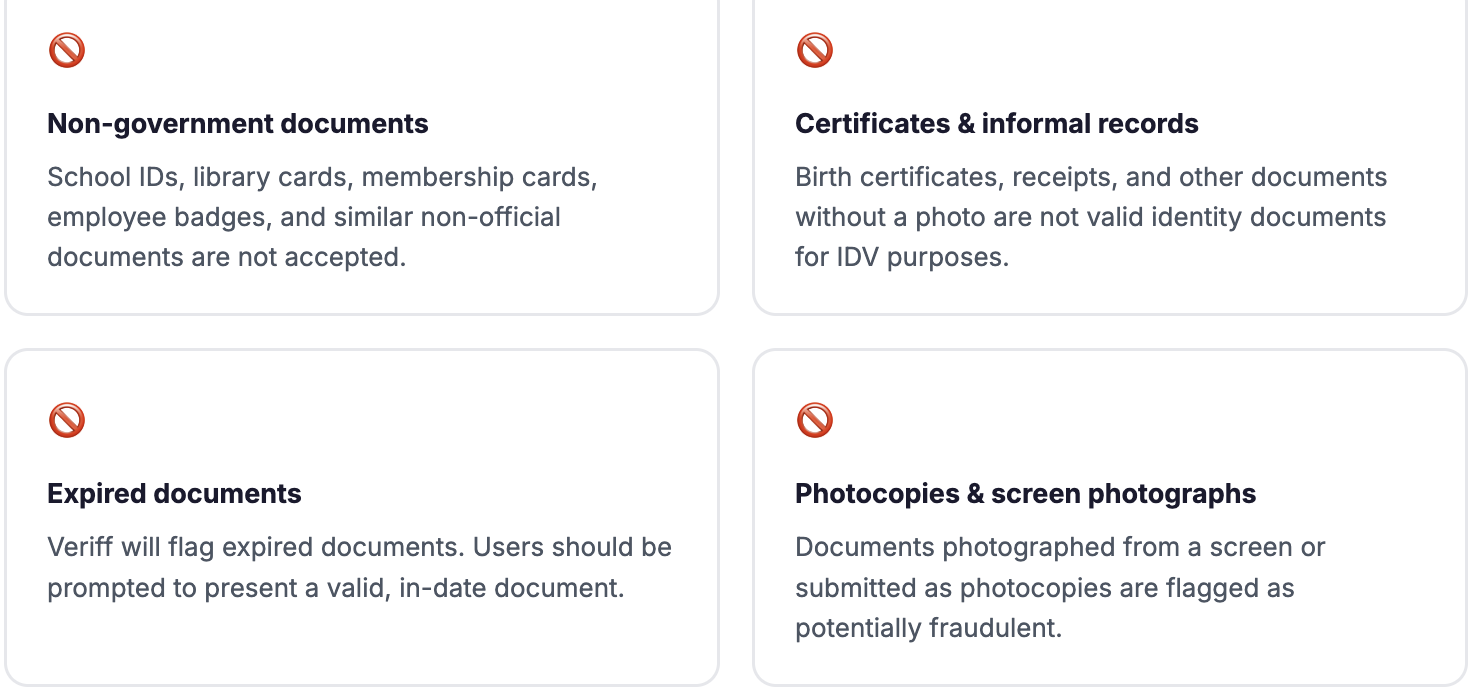
What is NOT accepted by Veriff
Non-Latin script support
Veriff integration with Dotfile does not currently support non-Latin alphabet documents. Documents in Arabic, Vietnamese, or other non-Latin scripts without a Latin translation are routed to manual review. This is a known limitation that is going to be addressed by Dotfile. Check with your Dotfile Solutions Consultant before onboarding clients with predominantly non-Latin script documents.
How is Veriff IDV billed
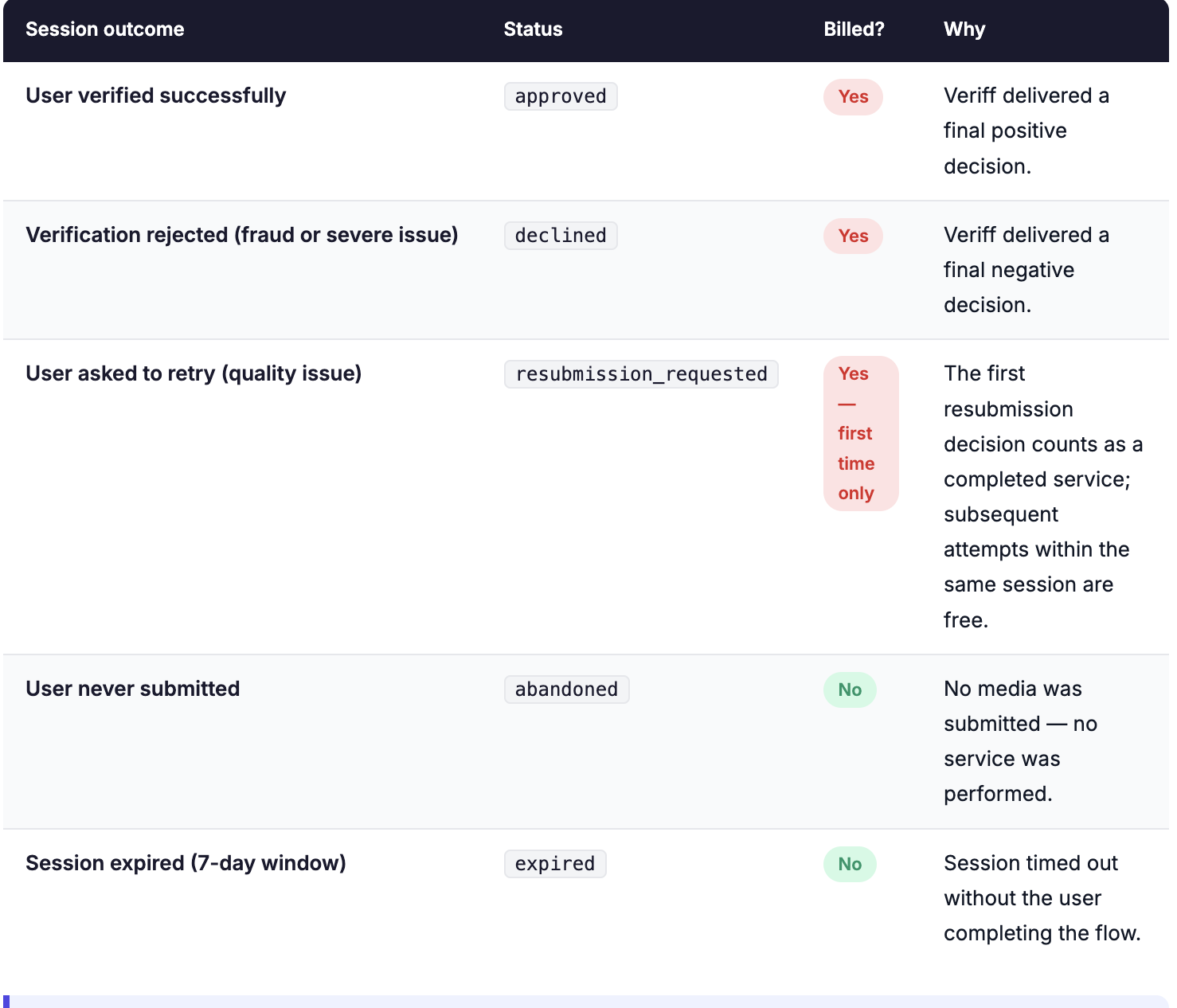
Veriff charges per completed session, not per attempt. This means you are billed once per user verification regardless of how many resubmission attempts occur within that session subject to the rules below.
Billing is triggered as soon as Veriff's system delivers a final decision on a session whether that decision is Approved, Declined, or the first Resubmission Requested. Sessions that are initiated but never reach a final decision (e.g. the user abandons the flow before submitting) are not billed.
⚠ Important: resubmission attempts within one session
Within a single session, a user can resubmit up to 9 times. All these attempts count as a single billed event — you are charged once per session, not per attempt. Only the first resubmission decision triggers billing; subsequent retries within the same session do not generate additional charges.
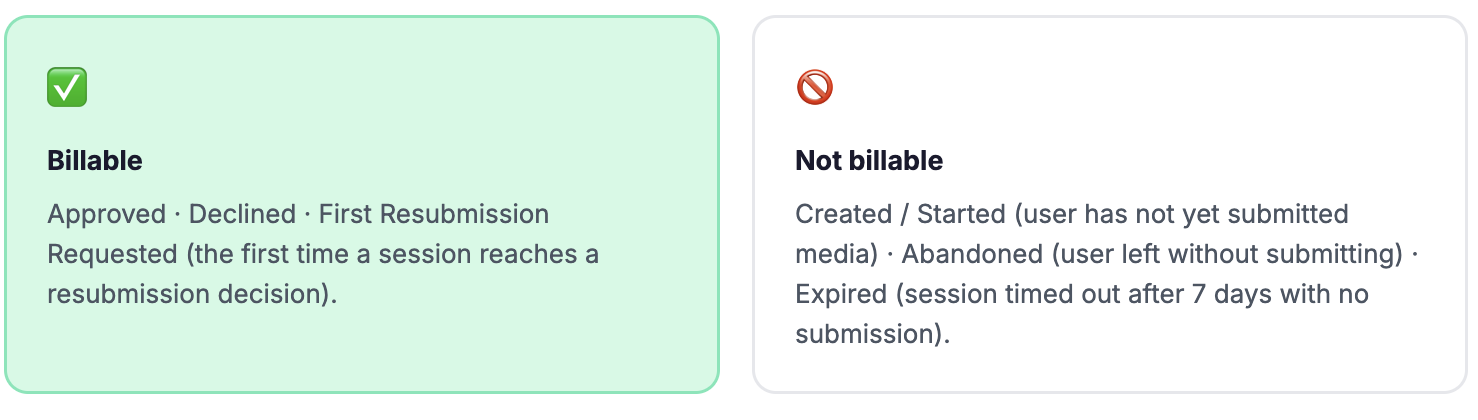
What counts as a billable Veriff session?
Understanding what triggers a charge is important for managing costs, especially at high volume. Here is a precise breakdown:
Resubmission limit
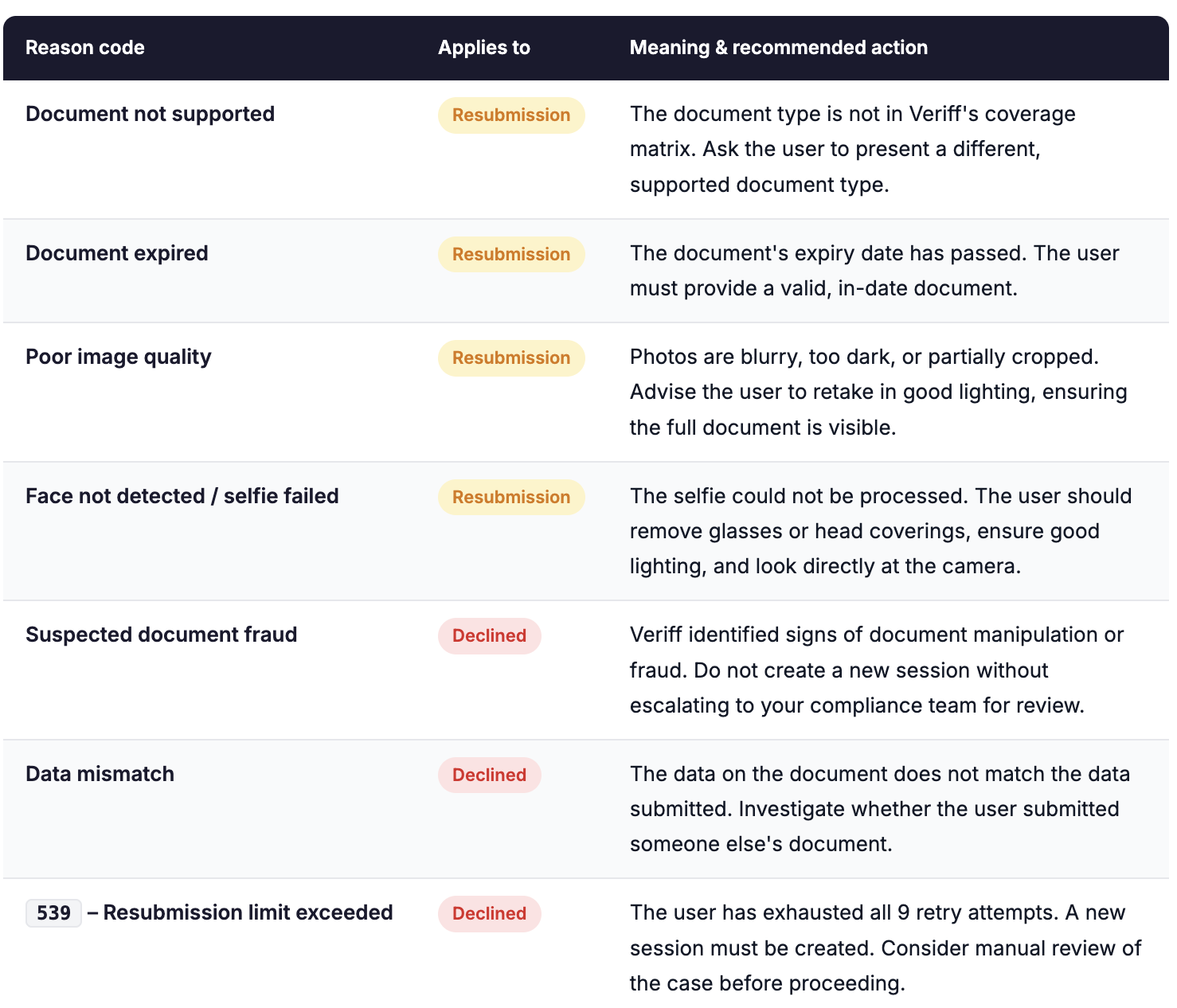
A user can resubmit up to 9 times within the same session. On the 10th attempt, the session is automatically declined with code 539 – Resubmission limit exceeded. If you want to offer the user another opportunity to verify, a brand new session must be created — which would trigger a new billable event if it reaches a final decision.
Common reason codes for declined and resubmission outcomes
When a session returns "declined" or "resubmission_requested", Veriff also provides a reason and a reasonCode. The most operationally relevant codes are:
⚠ Declined vs resubmission — a compliance distinction -
A declined result signals a conclusive negative decision Veriff has identified a serious issue.
A resubmission_requested result is inconclusive the quality of the submission was insufficient, but no fraud has been confirmed.
Your team's response should differ accordingly: resubmissions can be retried; declined sessions require compliance review before any new attempt is initiated.