Add a custom domain and publish the client portal
Last updated: May 29, 2025
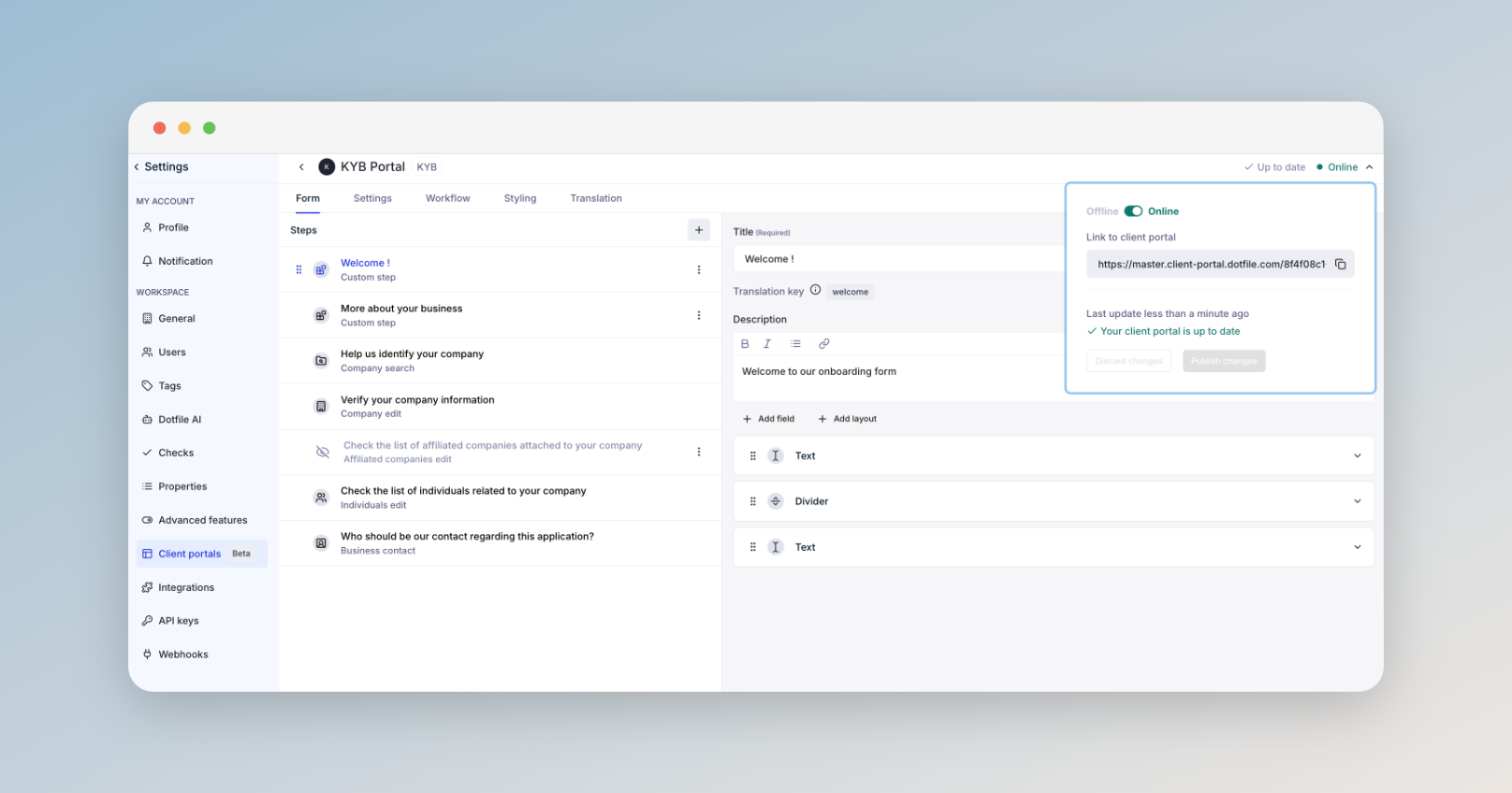
The client portal is automatically saved as you build it, and you can publish it at any time. To publish, simply set your client portal online using the option in the top right corner of the editor.
Once published, the URL for your client portal will be available for you to copy and paste, and share 🎉
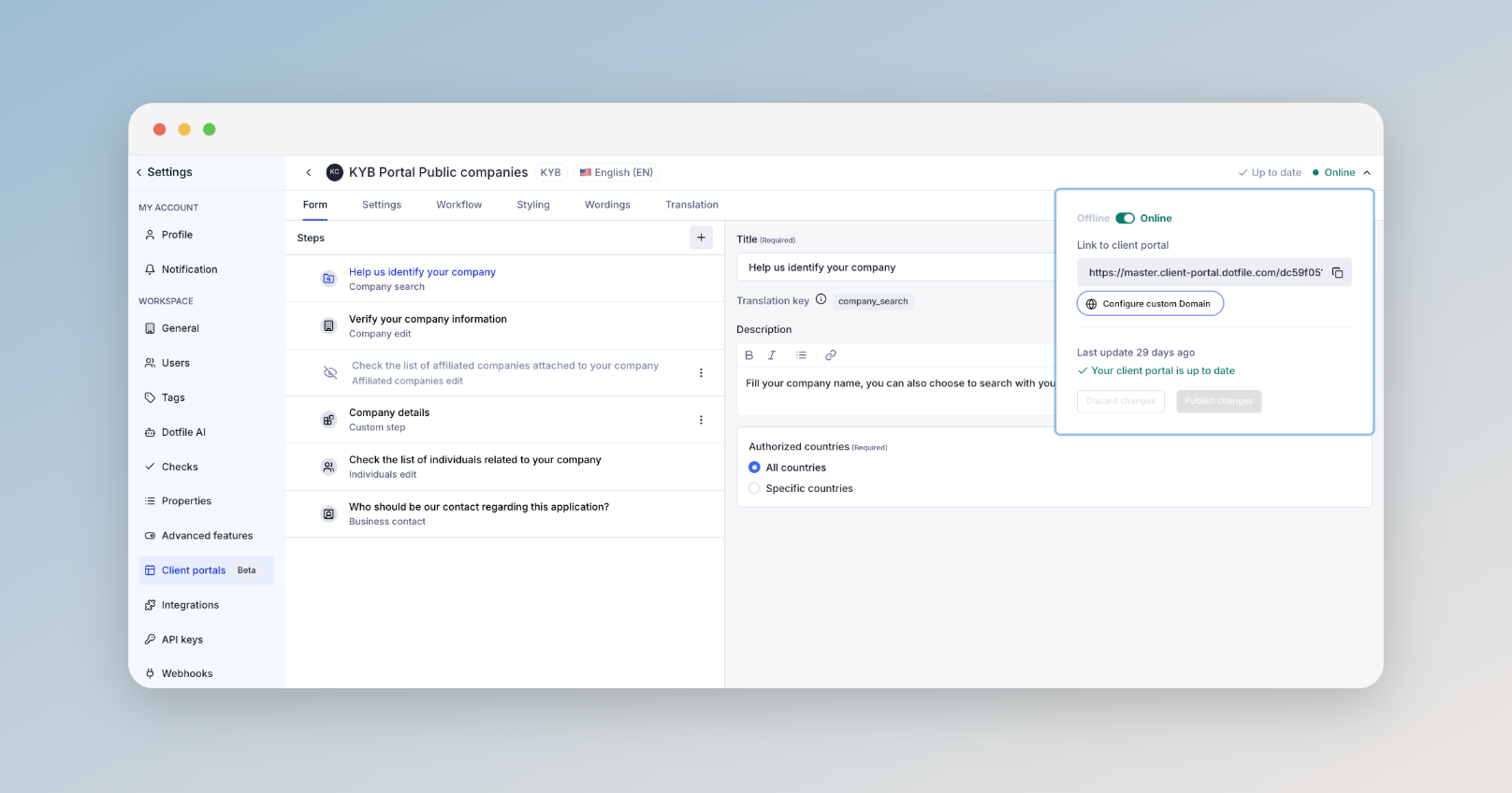
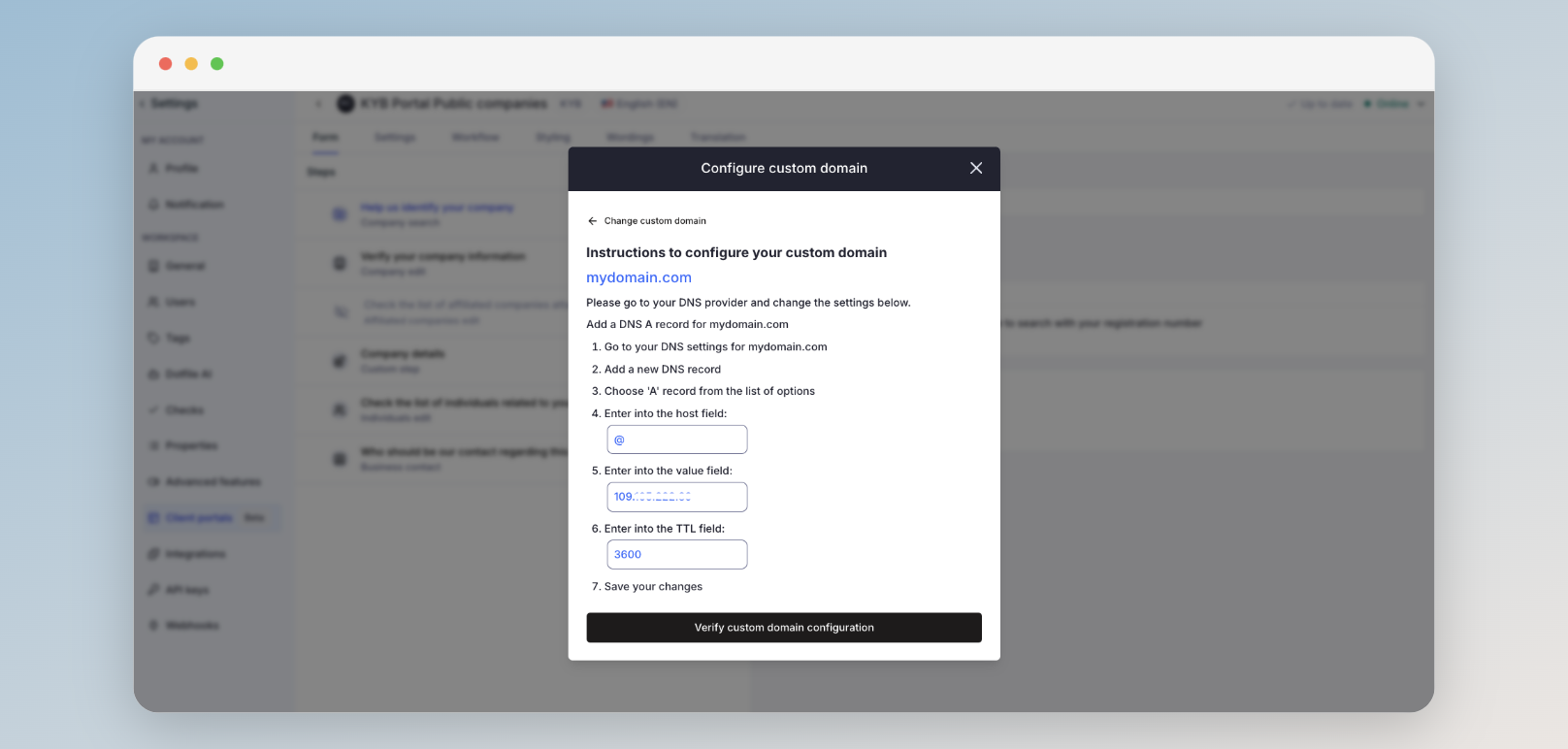
The client portal URL can be configured with a custom domain. To do this, open your client portal, switch it online, and you will be prompted with a custom domain configuration button.
More information on our product documentation